"Select to Keep" by Default
 |
| Figure 1 |
|
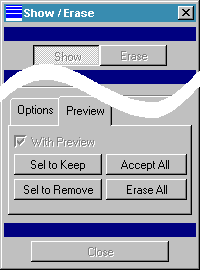
When using the Show/Erase dialog box for displaying model dimensions in the Pro/Engineer drawing
mode, after dimensions are shown, Pro/E gives the opportunity to identify which dimensions to leave
displayed. This is done with the Preview tab. See Figure 1.
By default, Pro/E automatically picks the Select to Remove (Sel to Remove) button.
If you would rather have the default action always be Select to Keep (Sel to Keep), simply add the
following line to your config.pro (or set it using Utilities > Options):
show_preview_default keep
This is a great way to save one step when showing dimensions if you usually use the Select to Keep option.
Have a Very Merry Christmas!
Tip: Give a little of yourself this year -- do something anonymously
special for someone in need! There's nothing like meaningful service to bring a smile to your own heart.
| 





